
An overview that answers
What is coming, what is left to settle, when I serve: the home page says it in one sentence, then in detail.
For worship teams
Liturgies brings each service's order, team, hymns and readings together. Everyone knows their part, what is still missing stands out, and on the day, everyone follows at the same pace.

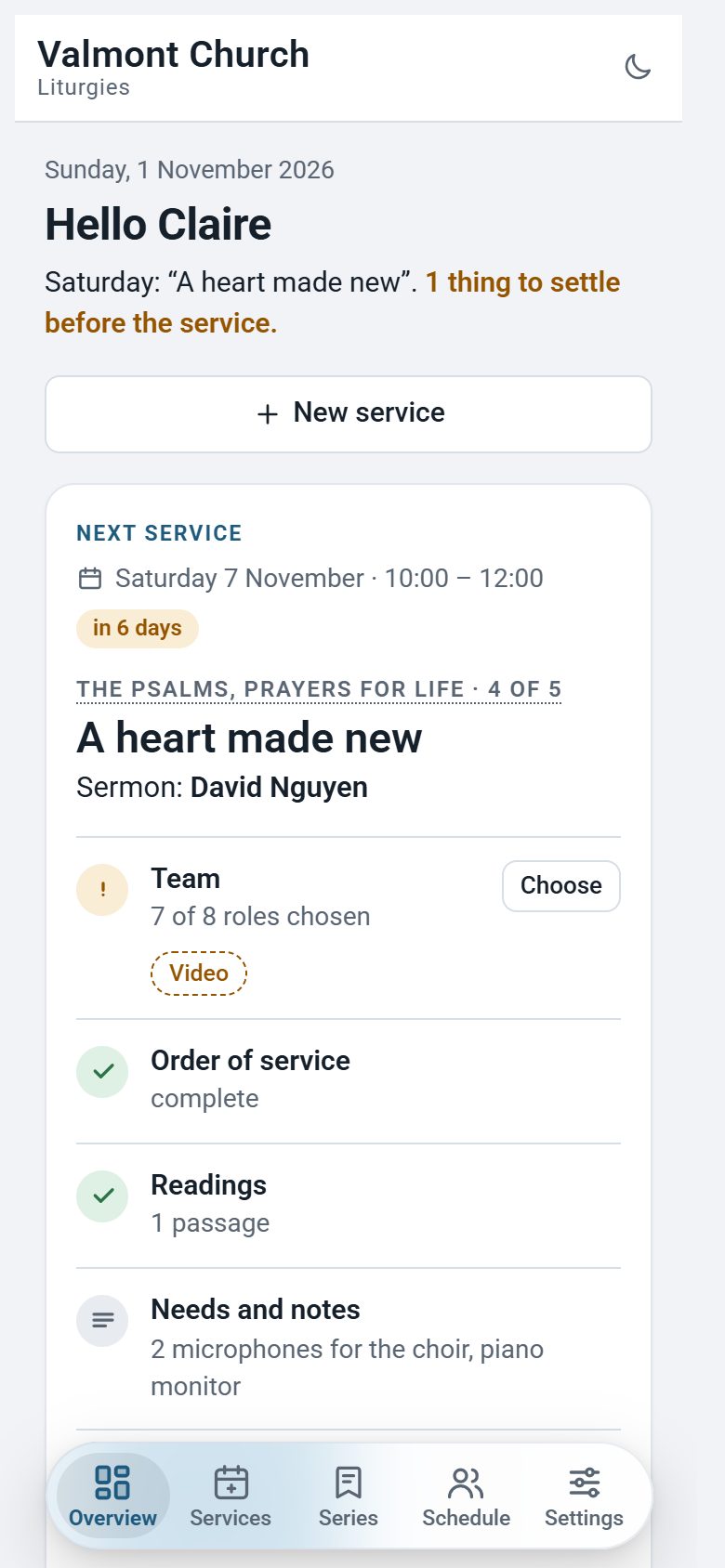
No more spreadsheet sent back and forth and crossing messages: each service has its page, and everyone sees it up to date.
What is coming, what is left to settle, when I serve: the home page says it in one sentence, then in detail.
Actions, speakers, postures, hymns and readings. Start from a template (regular service, Communion) and rearrange by drag and drop.
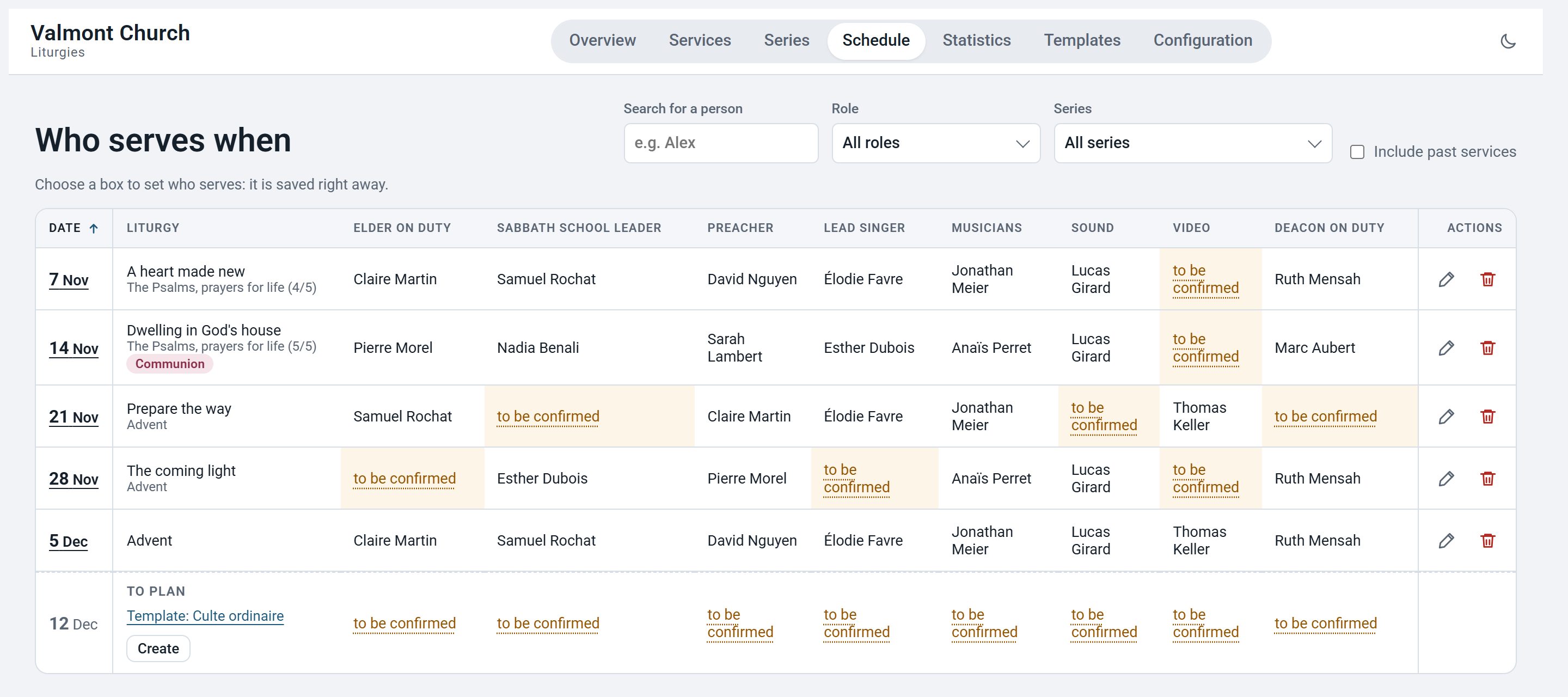
Who serves when, role by role. Empty boxes stand out; one click fills them, saved at once.
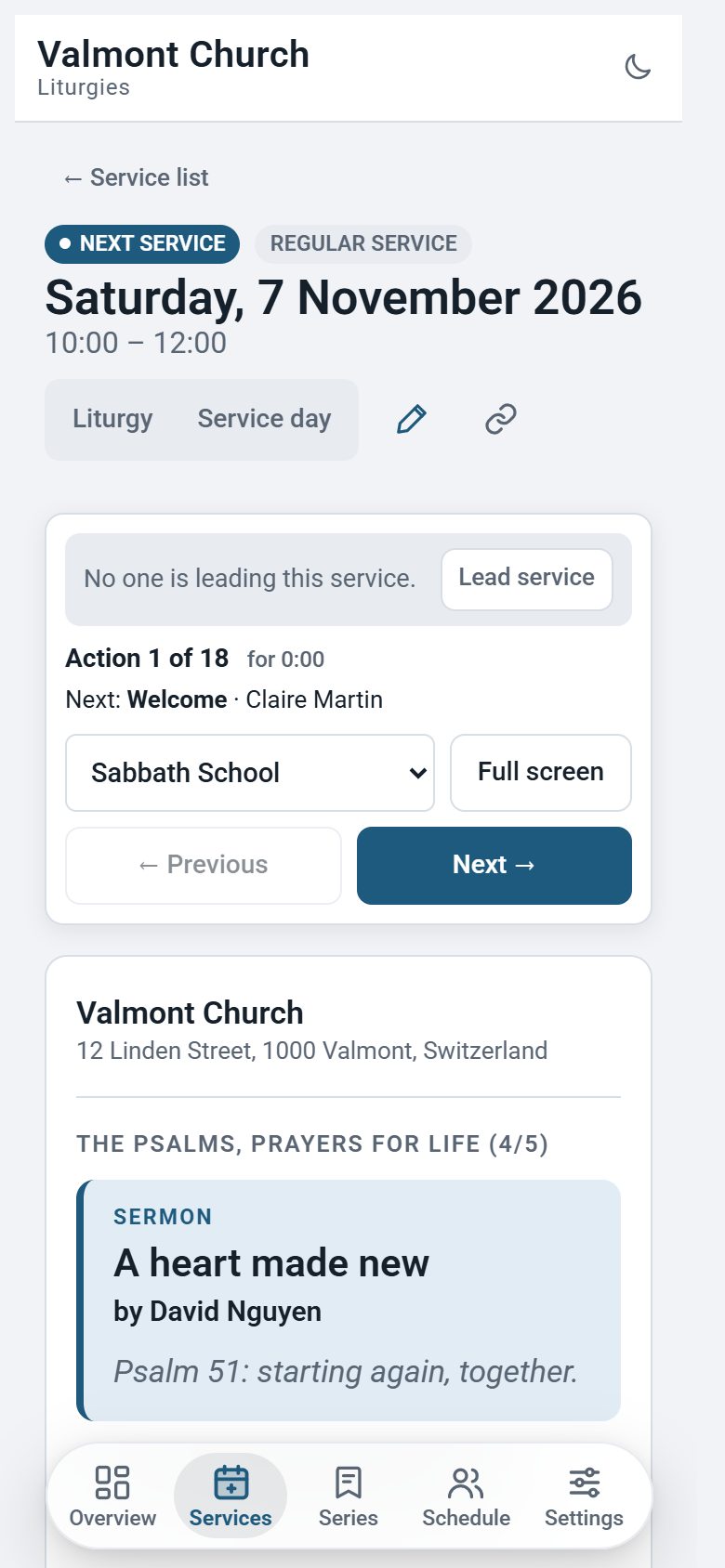
The order of service live, action by action. One person leads, the other screens follow: musicians, sound and video, the presiding elder.
Your hymn library, with how often and when each was last sung; Bible passages and their versions.
Week of prayer, sermon series, special season: services linked and numbered, and a filter in the planning.
A neat PDF to print, a read-only link for the tech team or a guest, which you stop whenever you like.
Everyone subscribes their calendar (iPhone, Android, Outlook) to their own assignments. The planning changes, the calendar follows.
Installs on the home screen like an app. Without a connection, the latest version stays readable, right into the church hall.
Read-only, contributor, editor, manager: everyone has the rights they need. Invite people with a simple link.
Hymns sung, readings, load per role: enough to vary the repertoire and not always lean on the same people.
A district pastor moves from one church to another with the same account. Each church only sees its own data.
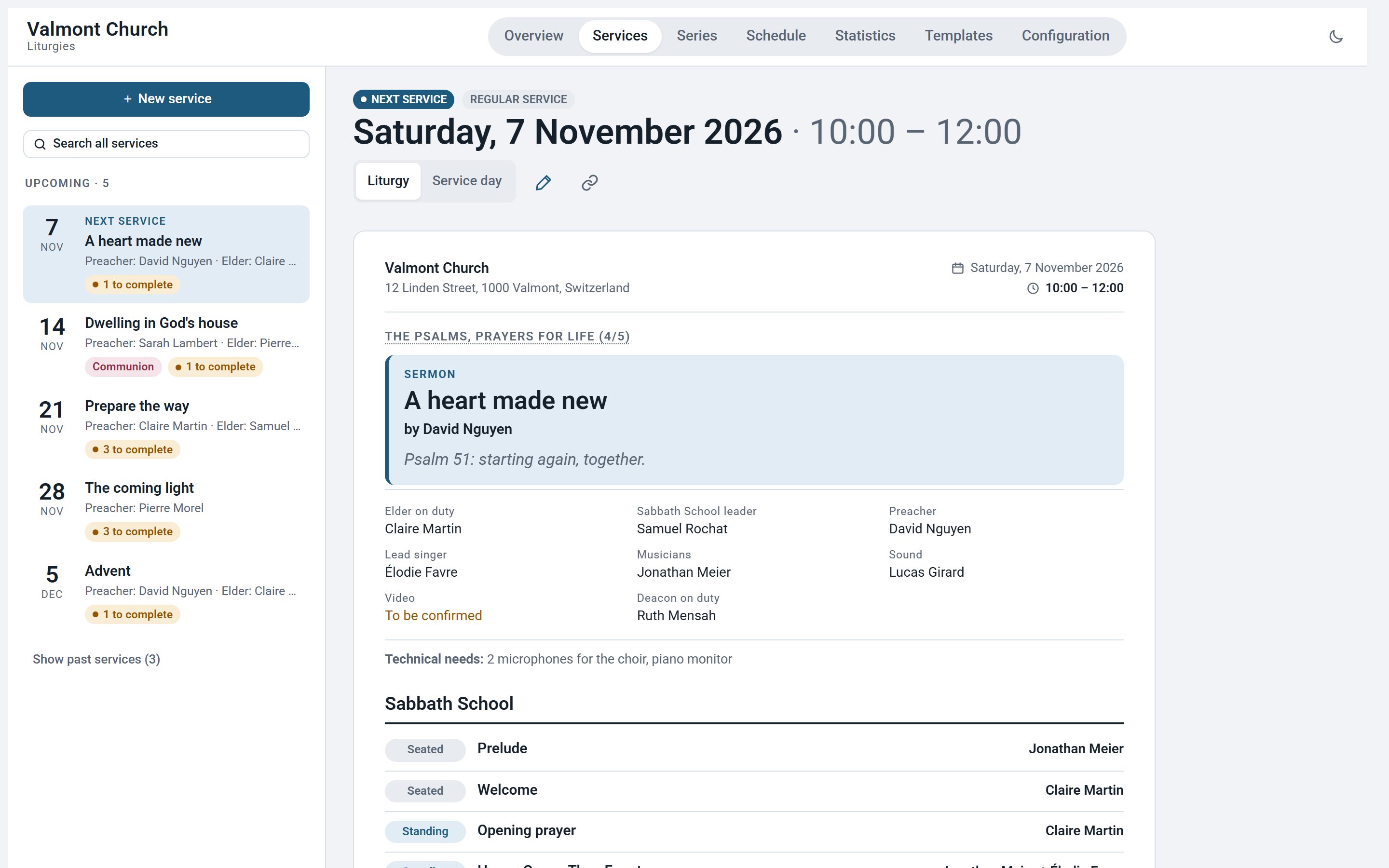
The sermon, the team, the order of service: everything to know before Saturday, on a single page.
The planning shows the coming weeks, role by role. Gaps stand out before it is too late.
In service-day mode, the order of service moves on action by action. The person leading moves everyone else's screen.
Nothing to install, no complicated setup: your space is ready within a few days.
A few words about your church in the form below. We open your space with service templates to get started.
You receive a manager link. Then you invite everyone with the role that suits them, by message or e-mail.
Planning, order of service, hymns: from the first week, everyone sees what concerns them, on the device of their choice.
The names of those who serve, your church's services: this is personal information, and we treat it that way.
Server in France (OVH), e-mails sent from Switzerland (Infomaniak). Nothing is sold or shared.
A church never sees another church's data: the server checks it on every request.
No advertising cookies, no analytics, no fonts or scripts loaded from elsewhere.
Strong passwords, protection against robots and limited attempts. Export and deletion on request.
The details: privacy policy.
No. Liturgies opens in the browser, on a computer, tablet or phone. On a phone, add it to the home screen to open it like an app, and read it even offline.
Yes, on request: we can bring your services over from a spreadsheet, and import your hymn list from a CSV file.
Yes. A district pastor, for example, joins each church with the same account, and moves between them from the menu, with the role they have in each.
It belongs to you. On request, we send you a copy, then delete it from our servers and our backups.
Yes: the app is entirely in English and French, and everyone chooses their language. The content you enter stays as you write it.
Tell us who you are: we get back to you by e-mail, then open your space and send you your manager link.
A question first? Write to us at support@techvillage.ch.
We will reply by e-mail within the next few days.